

Quick answer: These free debt payoff spreadsheets show your debt-free date and total interest in a few minutes. Enter the balance, APR, and minimum payment of each debt, add the extra amount you can pay every month, and the sheet builds the month-by-month plan for the debt snowball or debt avalanche method. A third spreadsheet helps you find that extra money in your budget. They are free, need no sign-up, and run on your own computer.
By Miguel Hernandez Lopez | Updated November 2026
Online calculators are quick, but many people prefer a file they can keep, edit, and update each month. These debt payoff spreadsheets work that way. Each one comes with example debts already filled in, so you can see how it works before you replace the numbers with your own.
Download the free debt payoff spreadsheets
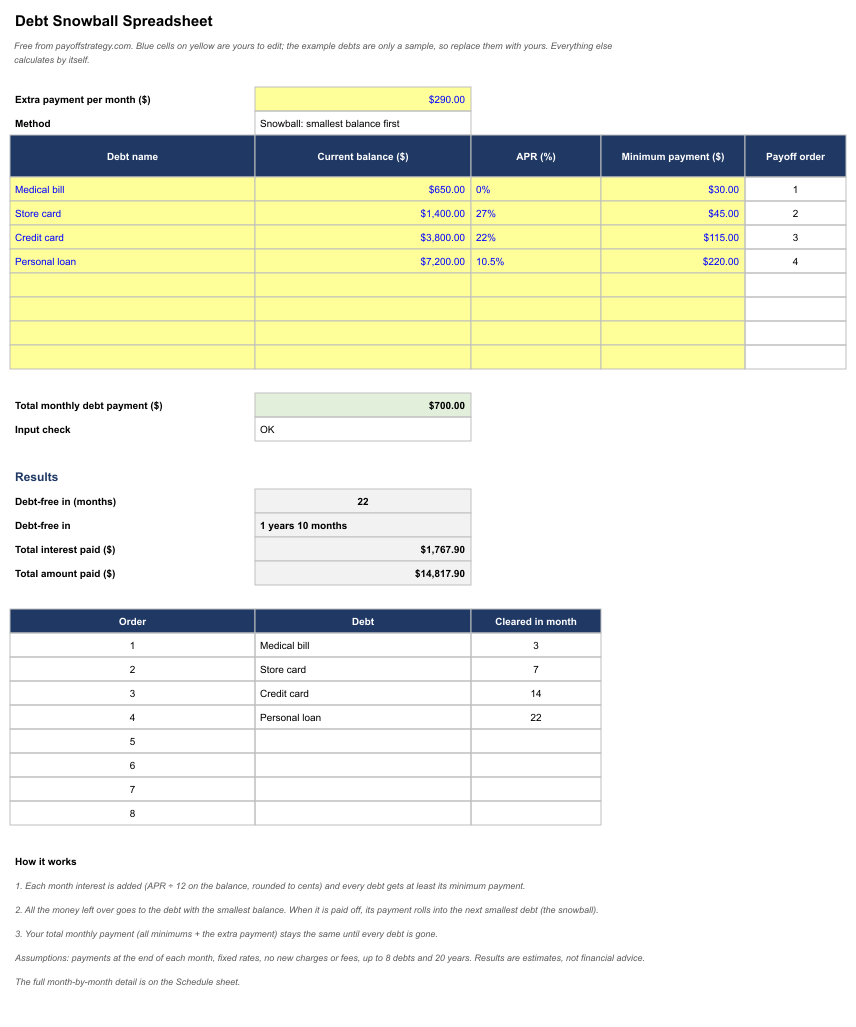
Debt snowball spreadsheet
Pays the smallest balance first, then rolls each freed-up payment into the next debt. It lists every debt in payoff order, the month each one is cleared, your total interest, and a full month-by-month schedule. If you are not sure the snowball is the right method, read the debt snowball method step by step.
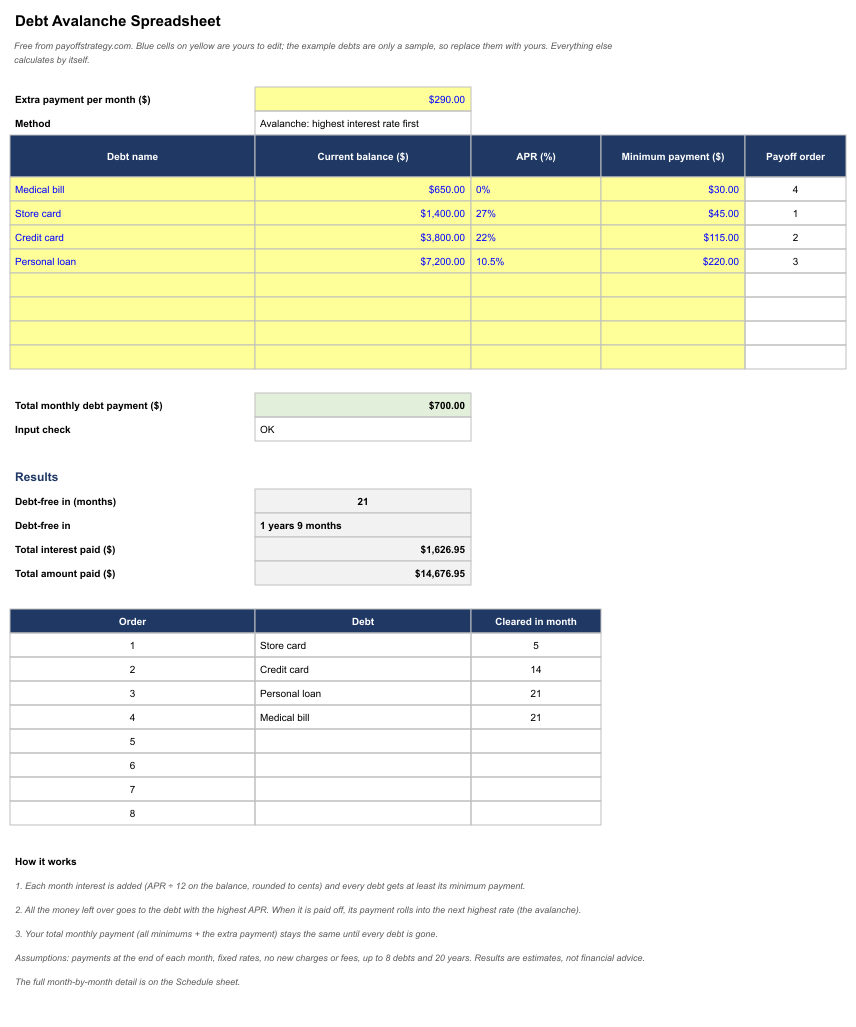
Debt avalanche spreadsheet
Uses the same layout but pays the highest interest rate first, which usually costs the least in total interest. See the debt avalanche method explained with numbers for when it makes sense.
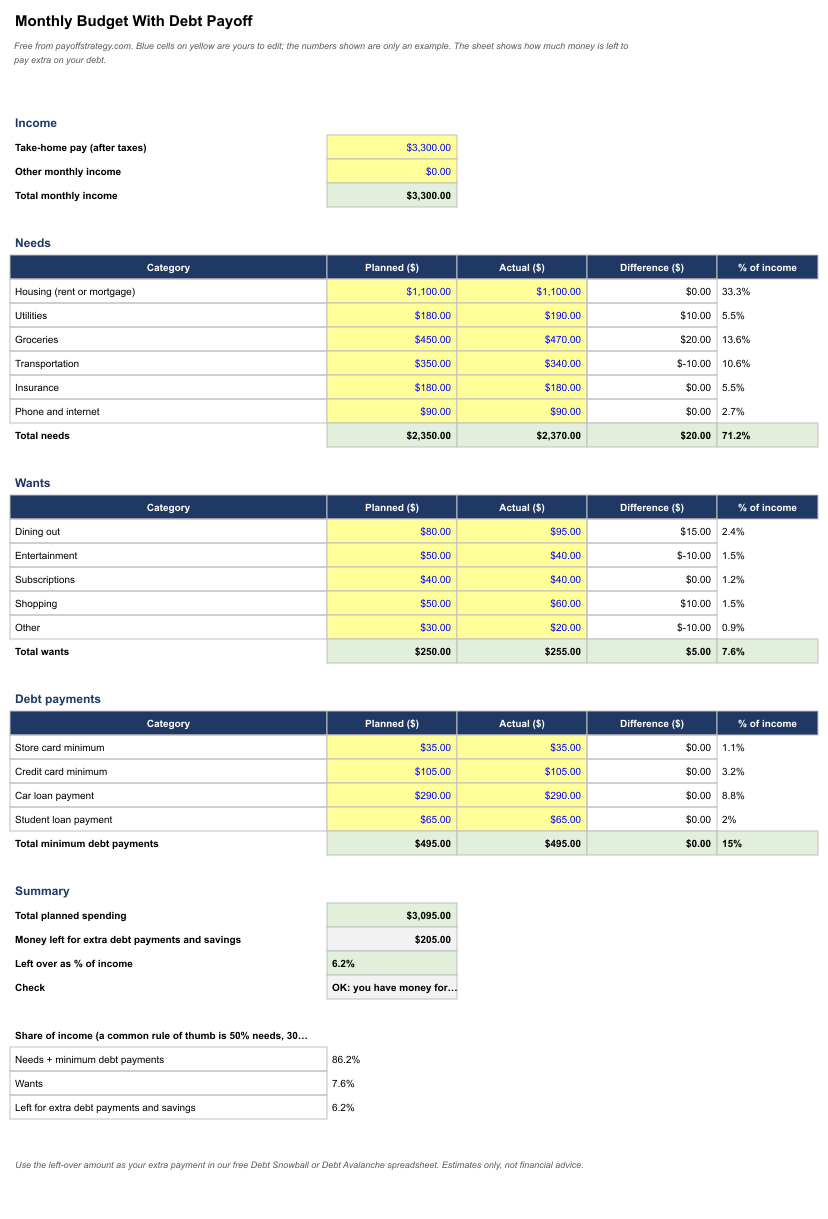
Monthly budget with debt payoff spreadsheet
Lists your income, needs, wants, and minimum debt payments, compares planned and actual spending, and shows how much money is left each month. That left-over amount is the extra payment you enter in the snowball or avalanche spreadsheet. Our guide to making a debt payoff budget explains each step.
How to use the debt snowball or avalanche spreadsheet
- Download the file and open it in Excel, or upload it to Google Sheets (see below).
- On the Debts sheet, replace the example debts with yours. Blue text on a yellow background marks the cells you can edit; everything else calculates by itself.
- Type the extra amount you can pay each month in the first yellow cell. Your total monthly payment stays the same until every debt is gone.
- Read the results: months until you are debt-free, total interest, total paid, and the month each debt is cleared.
- Update the balances once a month, or whenever your situation changes, to keep the plan current.
Which debt payoff spreadsheet should you use?
Use the avalanche spreadsheet if you want the lowest total interest and you can stay motivated without quick wins. Use the snowball spreadsheet if you want to see debts disappear sooner. Because both files use the same layout, you can enter your debts once, then copy them into the other file to compare. Our snowball vs avalanche comparison shows how much the choice can matter with real numbers.
What the debt payoff spreadsheets assume
- Interest is added each month at the APR divided by 12 and rounded to cents.
- Payments are made at the end of each month and rates stay fixed.
- There are no new charges, fees, or missed payments.
- Each file handles up to 8 debts and 20 years of payments.
- The results are estimates and will not match your lender’s statements to the cent, because lenders may use daily interest, fees, or rate changes.
Using the spreadsheets in Google Sheets or LibreOffice
In Google Sheets, upload the file to Google Drive, right-click it, and choose Open with, then Google Sheets. You can also use File, then Import, and select the file. LibreOffice Calc opens the files directly. If a formula looks wrong after importing, check that the cells you edited contain numbers and not text.
Debt payoff spreadsheets: frequently asked questions
Are the spreadsheets really free? Yes. There is nothing to buy and no email address is requested.
Is my information sent anywhere? No. The files run on your own computer, so the numbers you type stay in your copy of the file. This website never sees them.
Why do my results differ from my lender’s numbers? The spreadsheets use a simple monthly interest model. Real accounts may calculate interest daily, add fees, or change rates. Use the spreadsheet to compare strategies and set a target, and rely on your statements for exact payoff amounts.
Can I use them for any kind of debt? They work for credit cards and installment loans where you know the balance, APR, and minimum payment. They do not model variable rates, fees, or interest-only periods.
What if my minimum payment is smaller than the interest? The balance will not go down, and the sheet will show that the debt is not cleared within 20 years. Raise the extra payment or call your lender about a lower rate. See how to negotiate a lower credit card APR.
Prefer to calculate online?
Try the Debt Snowball Calculator or the Debt Avalanche Calculator, or work through the debt payoff checklist before you make your first extra payment.
Free official guides on paying off debt
The spreadsheets show how long a plan will take. For help deciding what to pay first and how to talk to creditors, see the FTC’s guide to getting out of debt, which includes a budget worksheet and tips on finding legitimate help, and the Consumer Financial Protection Bureau’s Lowering your debt tool (PDF).
Disclaimer: These spreadsheets are for general educational purposes and are not financial, legal, or tax advice. Results are illustrative estimates. Consider speaking with a qualified professional about your situation.